Plugin for Davinci Resolve, Final Cut Pro, After Effects, Motion and Premiere Pro.

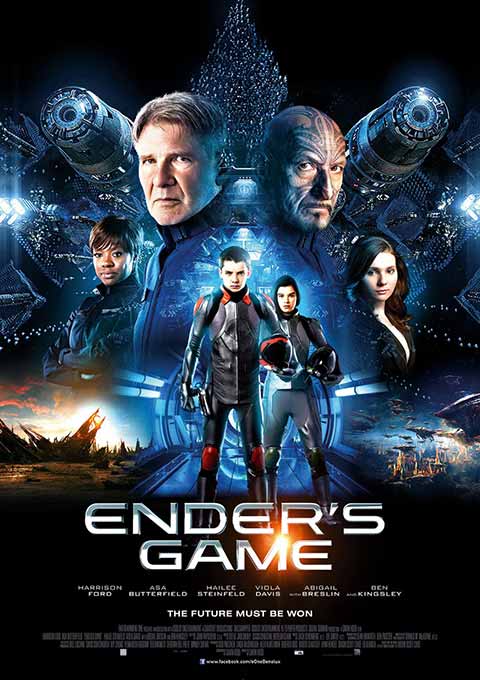
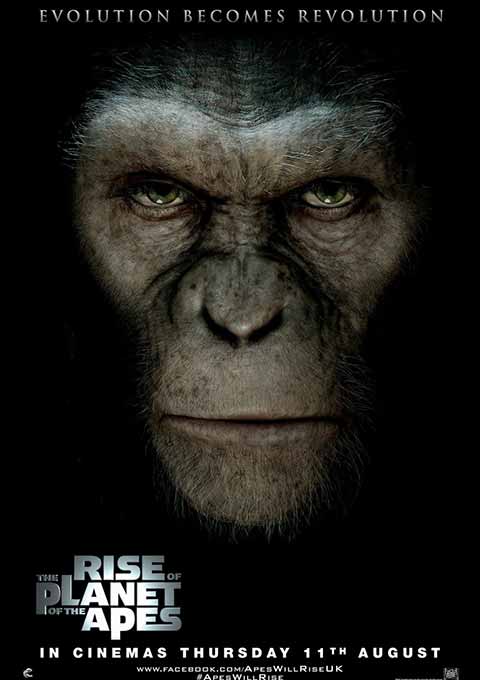
Nodes offers unprecedented power to create connected motion graphics and abstract particle universes. Nodes is used by leading artists to create high-end screen graphics in motion pictures like The Avengers, Planet of the Apes and Ender's Game.
Nodes is developed by a passionate team dedicated to VFX, motion design, and animated typography. It's an exciting worldwide collaboration where artists and software engineers work together to build interactive tools that evolve alongside Apple's technology.
Yanobox Nodes provides a comprehensive toolset to gracefully animate huge numbers of 2D and 3D visual elements.
Start with primitives, models or text to create a point cloud. Then Amplify the scene with particles, symbols, 3D models and titles attached to each node.

Play with randomness and probabilities. Inject noise or oscillations. Define relationships between nodes with lines and Bezier curves.

Create charts, dials and abstract schematics that animate with the precision of a machine and the quality of an illustration.

Build giant architectural structures then fly over 3D models and sharp wireframes with precision.

Engineered for Apple Silicon with Metal GPU acceleration, this major update introduces a full 3D engine.
Each node can now embed a 3D model. Create clusters of voxels from text or any procedural distribution. Compose sets from the 80 included primitives or load your own models. An exciting new direction, and it's only the beginning.

Explore looks with real-time lighting based on spherical harmonics, emissive nodes with fast bloom effects, fresnel and ambient occlusion.

Navigate deeper into parameter and module subgroups. Trigger functions with a click, with instant visual feedback from the icons.

Mix up cascading sequences and smooth flows. Nodes 4 implements both procedural and time-range controls.
Easily blend movements and create rhythmic mutations with the new intuitive interface. Use one of the 6 animation slots and choose a parameter from over 50 destinations. Apply ramps, oscillations or triggers within a specific time range and optional ease curves. Of course, the original parameters are still keyframable. Best of both worlds !

Combine any fonts and symbols with control over colors, sizes, anchors and orientations.
For each node, customize font, style, color and kerning through a familiar interface. Import RTF files. Symbols and your custom fonts are also supported.

Optionally attach text to models or voxel faces and set their alignment. Text remains attached to each node and follows its scale and rotation around any axis.

Play with thousands of real-time styled text layers and random numbers, or fly over typographic clusters.

Animate styled text with linear, radial or polar coordinates. Easily create spatial choreography around any geometry.

One installation gives you the same plugin simultaneously in multiple professional video applications.
Browse built-in presets through animated previews. The full collection is available both as templates and presets to give you the most flexibility. Save your own configuration as presets and share them with your team and on all supported hosts.

Access and be inspired by the huge Nodes 4 preset library in both Edit and Fusion pages.

Nodes 4 natively supports the 3D camera and multi-frame rendering with GPU acceleration.

Create real-time Motion Graphics through best-in-class integration with Mercury Engine GPU acceleration.

Enjoy native camera support in Motion and the highly responsive previews.

From Hollywood blockbusters and broadcast video to corporate events, Yanobox Nodes is being used by many talented artists on a number of projects.

I've been using Nodes for years in films like Rise of the Planet of the Apes, Avengers and Ender's Game. Its ability to customize the design of every detail and sophisticated way of displaying connected data driven graphics that respond to the After Effects camera makes it essential for me in creating conceptual and final UI designs for feature film.
Jayse Hansen - Jayse.io

I wanna give you congratulations for Nodes. It has really change my workflow and its an amazing tool... I am really pushing myself to explore and to take more advantage of Nodes’ creative madness.
Tony Zagoraios - Behance-Zagoraios

Nodes is very intuitive, fully customizable, fast and reliable. It is easy to generate attractive “accidents” and strangely beautiful interfaces.
Pierre Magnol - www.bphoton.com

Nodes is actually my absolute favorite go-to weapon of choice, as much of my work has a futuristic feel, and Nodes is the only tool that can do serious advanced wireframing with a lot of control.
Eric Jordan - www.ericjordan.com

This is one of the most creative tools I've worked with in years. It's fast, logical, very easy to use, and at the same time quite advanced if you dig in deeper.
Eran Stern - www.sternfx.com
Accelerate you workflow with a large collection of complete 3D Scenes and building blocs, all modifiable to promptly adapt to your needs.
Version 10.6 or later
Version 5.6 or later
Version 20 or later
Version 22 or later
Version 22 or later
Apple Silicon and Intel
Version 16
Version 15.6
Version 14.7
Version 13.5
If you still running an older version of macOS, please follow this link: FxFactory Archive Page